ResourcesTeamPricingContact sales

DealGround is introducing its MCP server to integrate DealGround’s property search, detailed property data, lists, and owner research into your preferred AI workflows. Add DealGround’s MCP to your existing AI tools like Claude and ChatGPT to give you access to all the rich Commercial Real Estate property data that you’re used to on DealGround’s app.
If you'd like to get access, please email: info@dealground.com. We will follow up shortly with an invite link and instructions.
As you’re doing research into a specific property, leverage DealGround’s data to get owner information or deep property data like brochure, title, mortgage, and tax information about a property.
Example: Use DealGround to find me the last sale price for 1234 Main St., San Francisco, CA.
Use DealGround’s search and property information to find your next deal. You can source properties, create lists, and find owner information all within your LLM of choice.
Example: Show me the five lowest cap rate McDonald’s in California on the market in the last 18 months, create the list of ownership and then draft an email to those owners specific to the property
Use DealGround to search, find and create a list of properties that meet your criteria.
Example: 'Run a list of all of the 10K or large multi-tenant centers in the Dallas Fort-Worth area that have been purchased in the last 3 years that are owned by Family office/mom and pop ( not owned by institutional investors).
The DealGround MCP server exposes eight tools: seven across three capability areas (property search, owner research, and saved-list workflows) plus a liveness check. All calls are authenticated against your DealGround account and respect the same access controls as the web app.
search_properties runs a structured query against the DealGround listings index. It accepts a criteria object with three sections:
The response is the standard DealGround listings payload: each result carries a spatial_entity_id (UUID) and a real_estate_id (integer), which downstream tools reference.
describe_property_search_keys returns the live enumeration of every accepted key, type, unit hint, and array cap. Call this first whenever you're unsure what the search service accepts - it's the source of truth and is kept in sync with the underlying schema.
find_owner_properties enumerates everything tied to a given mailing address by matching against the assessor table's mailing_* columns. Inputs: a full mailing address string (street, city, state, ZIP — incomplete addresses are rejected) plus optional flags for including previously-owned properties and excluding a specific real_estate_id. Returns current_owned[] and, if requested, previously_owned[].
This tool answers "what else does this owner own?" - it does not do free-text owner-name search. Resolve the mailing address first.
get_ownership_info is the inverse: given one or more spatial_entity_ids (up to 50 per call), it resolves the true owner behind each property, including LLC unmasking, owner type, recommended contact (name, title, email, phone), confidence, and source citations.
This tool spends credits. Each non-cached property resolved costs credits and triggers an external ownership-research vendor call - it is not a free read. Cached lookups are free and silently merged into the response. Because of the billing side effect, AI clients should confirm before invoking it rather than calling it automatically.
Mechanically, it submits a batch to the ownership-research backend and polls until terminal state or wait_seconds (max 120) elapses. If the wait budget expires before the batch finishes, the response carries status: "processing" and a batch_id.
get_ownership_batch_status is how you resume polling after a timeout - pass the batch_id and you get the same response shape, with the latest snapshot.
create_saved_list persists a property search as a named list. It accepts the same criteria object you'd pass to search_properties (recommended pattern: validate the criteria and result count with search_properties first, then call create_saved_list with the identical criteria). The list is shared with the authenticated user's team.
Other parameters: search_mode (parcels, brochures, or both) and truncate_on_limit (if the criteria match more than the configured max, either save the first N or return status: "over_limit" and write nothing). When the call originates from an AI client, the server auto-appends an attribution suffix to the list name so saved lists stay traceable.
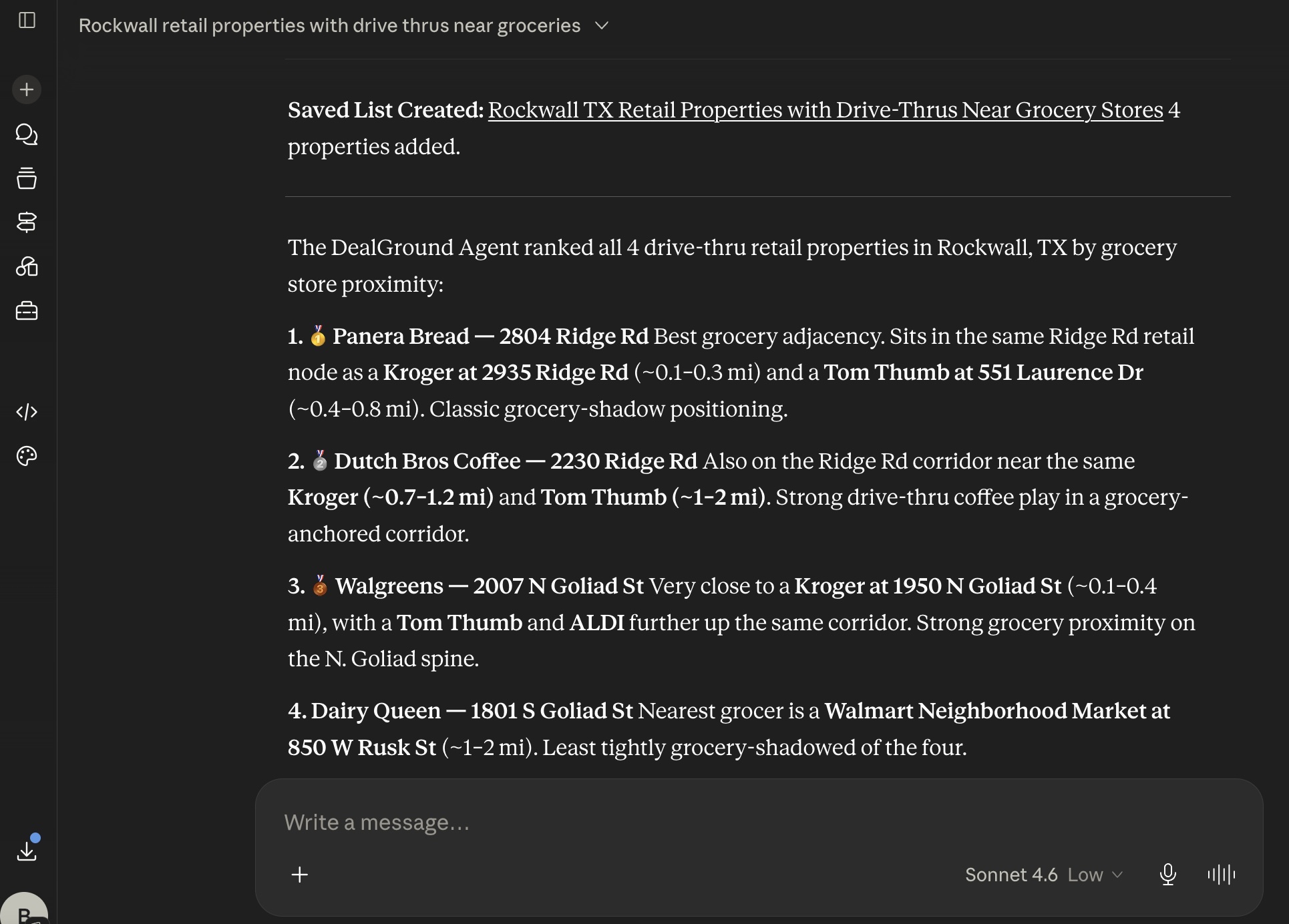
analyze_saved_list runs DealGround's downstream analysis agent against an existing saved list. Pass a saved_list_id and a prompt describing the analysis you want — ranking, comparison, summarization, outlier detection, portfolio breakdowns. It doesn't mutate the list, but it does invoke a downstream LLM and consume compute. The response includes answer, model, and context_summary.
A representative end-to-end use looks like this:
Each step is a single tool call. Most are pure reads: create_saved_list is the only tool that writes persisted data (a saved list scoped to your team), while get_ownership_info has a billing side effect (credit spend) and analyze_saved_list consumes compute. None of them mutate listings data.
The server is authorized as the connected user via a bearer token issued by DealGround's identity provider (Auth0). Tool invocations run as that user - search results, saved lists, and ownership credits all flow through their account and team membership. DealGround is also rolling out user-managed API keys as an additional authentication path for programmatic and AI-client access.
ping returns a minimal payload for clients that want to verify the server is reachable before issuing real calls.